User Interface changes#
The 26.07 installer includes the established configuration client and the new user interface for this product:
Established configuration client - the WinForms client documented in this manual and the primary reference for setup steps and screenshots.
EventReporter User Interface - the newer WinUI-based interface (
adiscon-client-ng) available alongside the established configuration client.
The established configuration client supports license file application and full configuration editing. See your product website’s Upgrade article for the customer-facing description of the product-specific user interface.
Property window toolbar#
When you open a service or action property window, the toolbar provides Save, Verify Configuration, Connect, Start, Stop, Restart, Reset Changes, and Quit. Reset Changes discards unsaved edits on the open form only; it does not restore factory defaults for the selected item.

The main window (rules tree) has a separate toolbar with Start,
Stop, Restart, Kill, and Open Windows Services for the
background service. Kill ends an orphan process when the service manager
state is inconsistent. Open Windows Services opens services.msc for
Windows Service management.
When the service is paused during configuration reload, stop and restart may be disabled until reload completes.
Reset configuration to default#
The File menu provides Reset Configuration to Default, which resets the whole deployed configuration:
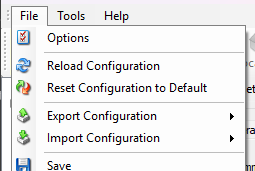
This is separate from Reset Changes on an open property form. It is also separate from the context menu or toolbar Reset command for a selected service or action, which restores only that selected item to factory defaults.
Event Viewer#
After start, stop, or configuration reload, service-management events are prepended in the Event Viewer so recent control actions appear at the top.
File formats#
The File menu supports:
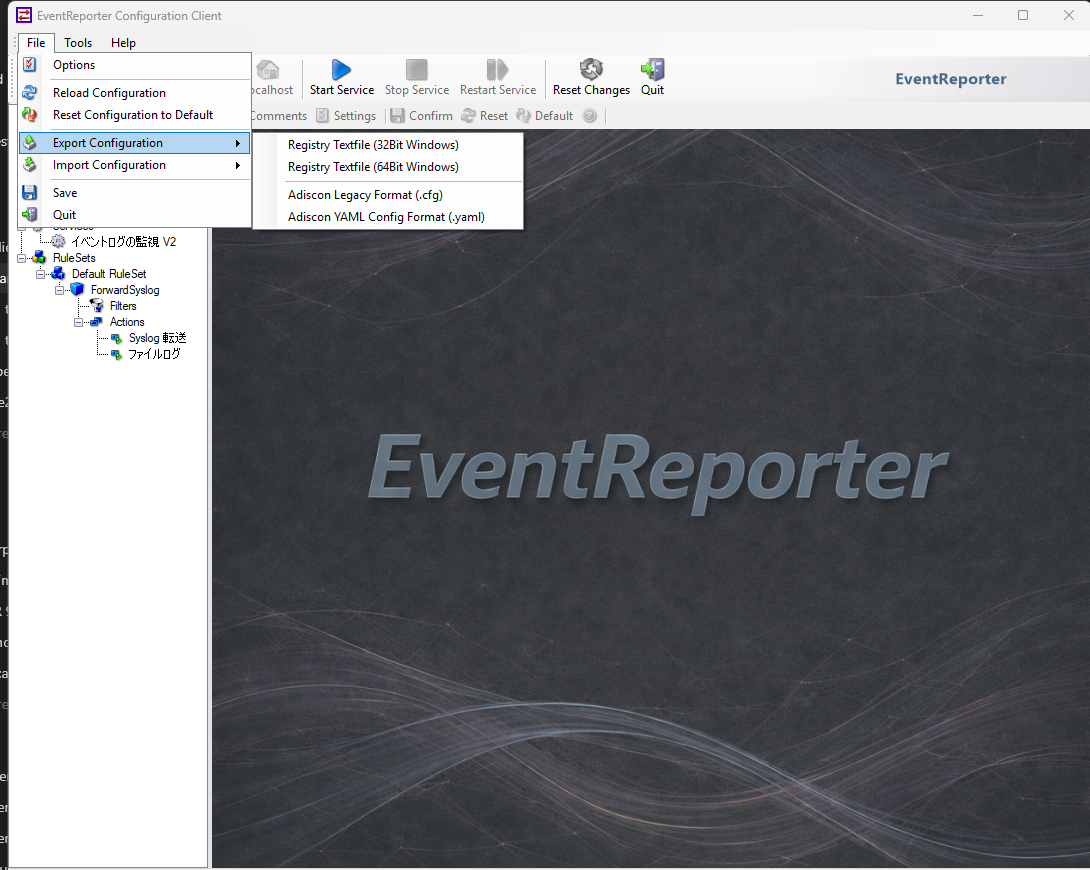
EventReporter File menu with YAML import and export commands
Adiscon YAML Config Format (
.yaml) - import and exportAdiscon Legacy Format (
.cfg) - legacy text configuration
See the file-based configuration chapter in your product manual and What happens when the client opens a configuration with unsupported blocks?.