Alarming via Net Send#
Warning
Deprecated: The Windows Messenger service (net send pop-up messages)
is not available by default on modern Windows versions, and may not be
available at all depending on your environment. As a result, NetSend
notifications are unreliable and the feature is disabled by default.
Prefer modern alerting methods like the Send Email action, forwarding to syslog, or other destinations supported by your product version.
Again, we add another rule to our ruleset. This time, we would like to receive
notification via the Windows Messenger service (aka net send).
Please bear in mind that the Windows messenger service is not the instant messaging service that many people nowadays associate with it. The messenger service is meant for administrator notifications. If a windows workstation (or server) receives a message via that service, a message box pops up on that workstation and the user needs to press an “OK” button to continue. No interaction is possible.
We create a new rule in our ruleset “Defaults”. In this case, we assume that we receive messenger notifications for all events with Event ID 592. In a real use case, you make sure that this is a real important event, or chances are good you become overwhelmed with messaging windows. A better example could be a filter that checks for a server running low on disk space (using the disk space monitor).
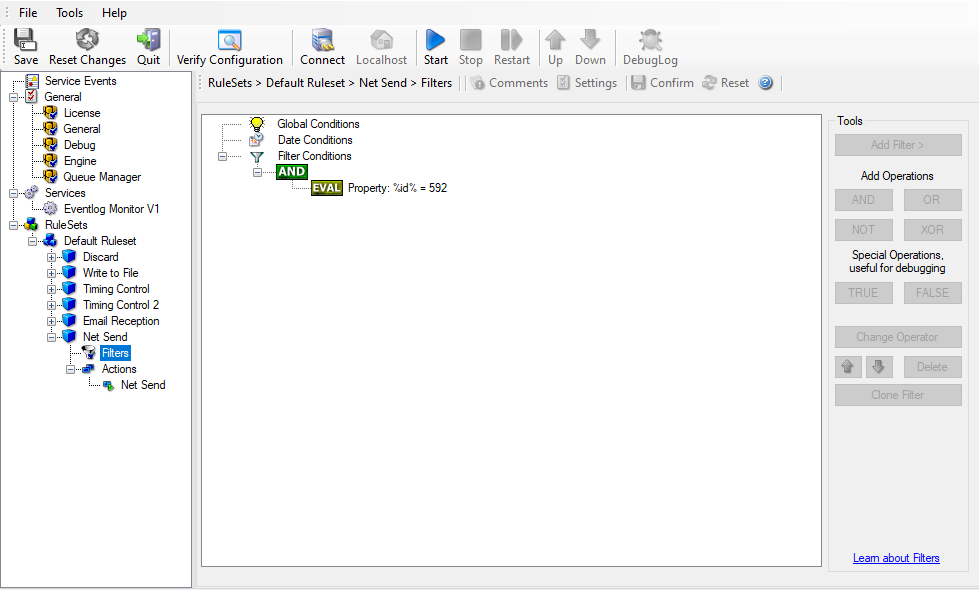
Alarming via Net Send - 1
This time, we use the “Net Send” action as can seen below. The target field holds either the name or IP-Address of the workstation this message should be sending to. The message text itself goes into “Message to send”.
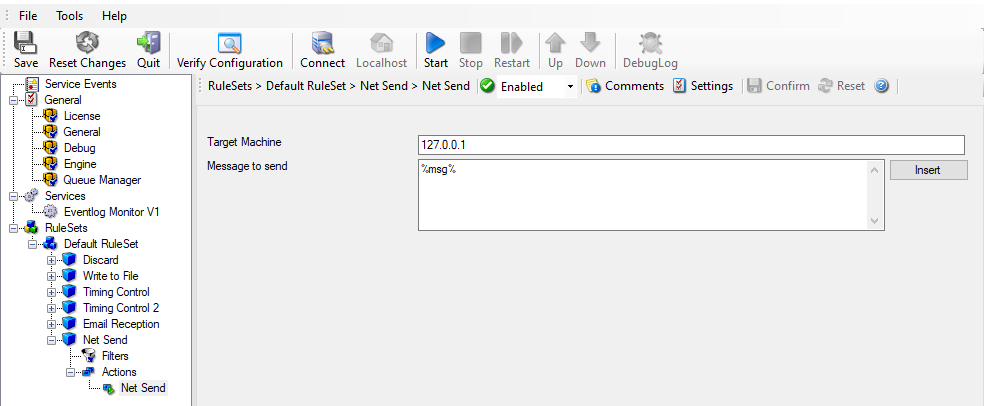
Alarming via Net Send - 2
After saving the configuration and restarting the service, we receive notifications if the filter condition evaluates to true. A sample message might look like this (slightly obscured in this sample):
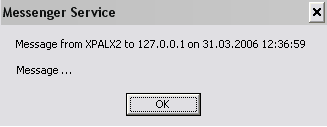
Alarming via Net Send - 3